You're tired of designing everything from scratch. Your presentations look boring. Your social media posts don't pop. You've heard about Canva Pro, and you're wondering if it's worth the money.
Let me save you some time. Canva Pro isn't just "nice to have" if you create any content for your business, social media, or personal projects. It's actually essential. But before you pull out your credit card, you need to know exactly what you're paying for.
The canva pro price in India isn't the same as the US price. The subscription plans have changed in 2026. And there are ways to save money that most people don't know about.
Let me break down everything about Canva pricing in India so you can make a smart decision.
Canva Price in India: Free vs Pro vs Teams
Before we talk about Canva Pro pricing, let's understand what Canva offers and who needs what.
Canva Free Plan
Cost: ₹0 (Forever free)
What you get:
- 250,000+ free templates
- 100+ design types (social posts, presentations, videos)
- 5GB of cloud storage
- Access to 1+ million free photos and graphics
- Basic photo editing tools
- Thousands of free fonts
- Invite up to 10 team members
Who should use it:
Students, casual users, or anyone just starting out with design. If you're creating occasional birthday cards or simple social media posts, this is enough.
Limitations:
You'll quickly hit walls. Premium templates are locked. Many stock photos show watermarks. You can't resize designs with one click. No background remover. No brand kit. These limitations get frustrating fast when you're serious about content creation.
Canva Pro Plan
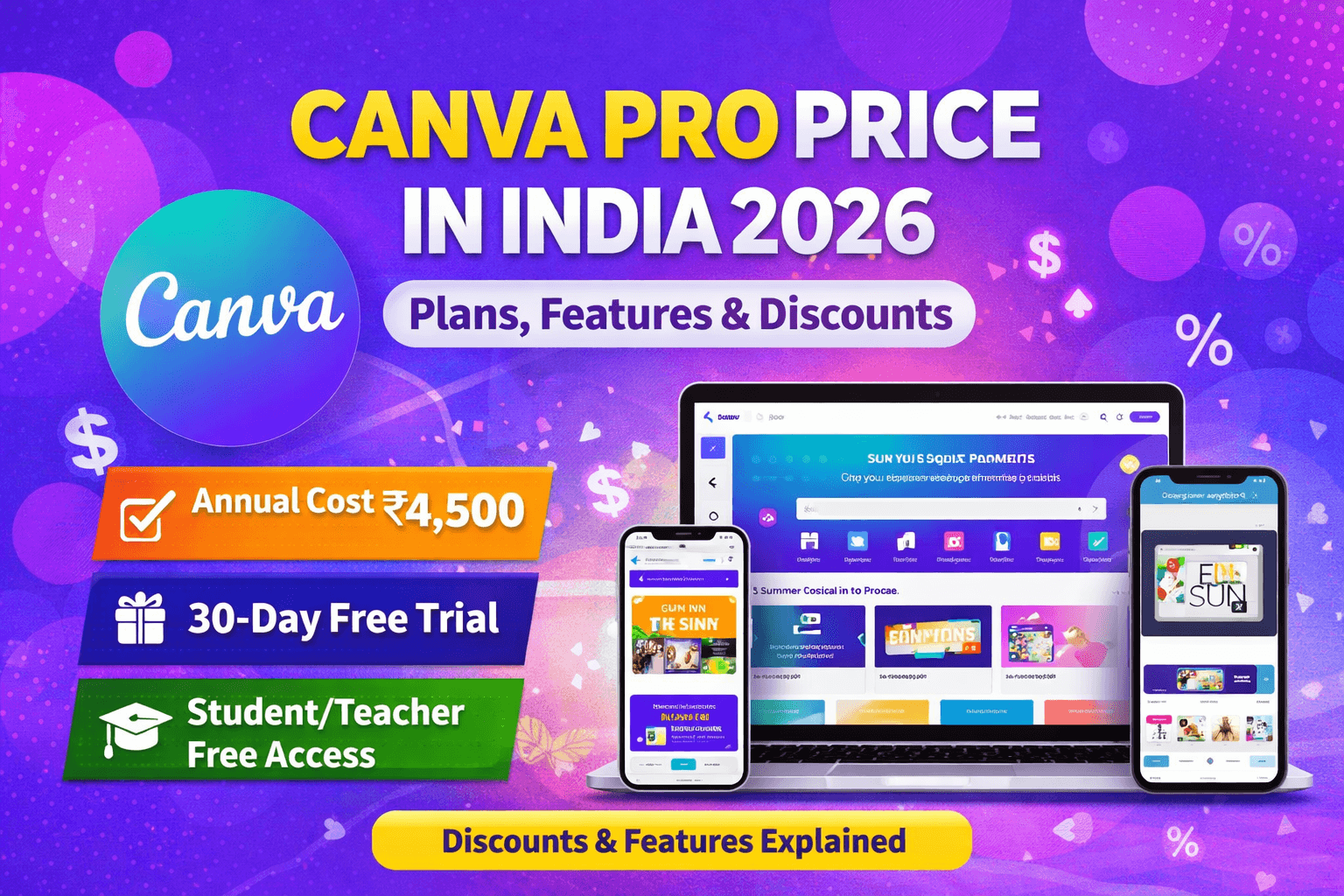
Cost: ₹4,500 per year for 1 user (in India)
This works out to ₹375 per month when paid annually. If you pay monthly, it costs ₹499 per month.
What you get (in addition to everything in Free):
- 610,000+ premium templates
- 100 million+ premium stock photos, videos, and graphics
- Unlimited storage (instead of 5GB)
- Background remover (this alone is worth it)
- Magic Resize (change dimensions instantly)
- Brand Kit (store your brand colors, fonts, logos)
- Content Planner (schedule social media posts)
- Premium animations and effects
- Unlimited folders to organize projects
- 24/7 priority support
- Advanced photo editing tools
- Custom fonts upload
Who should use it:
Freelancers, small business owners, content creators, social media managers, marketers, bloggers, anyone creating content regularly.
If you create more than 5-10 designs per month, Canva Pro pays for itself quickly.
Canva for Teams Plan
Cost: ₹6,750 per year for the first 5 users (in India)
That's ₹1,350 per user per year, which is actually cheaper per person than Canva Pro when you have a team.
What you get (in addition to everything in Pro):
- Everything from Canva Pro
- Unlimited team members (at ₹1,350/user/year)
- Team templates and assets
- Centralized billing
- Team roles and permissions
- Approval workflows
- On-brand templates
- Team analytics
Who should use it:
Marketing teams, agencies, startups, any business with multiple people creating content.
If you have 2 or more people designing, Teams makes more sense than individual Pro subscriptions.
Canva Pro Price in India: Detailed Breakdown
Let's get into the exact numbers because pricing can be confusing.
Monthly vs Annual Canva Subscription India Price
| Plan | Monthly Cost | Annual Cost | You Save |
| Canva Pro | ₹499/month | ₹4,500/year | ₹1,488 (25%) |
| Canva Teams (5 users) | Not available monthly | ₹6,750/year | - |
Pro tip: Always pay annually if you can afford it. You save 25% compared to monthly payments.
How Canva Pro Pricing Works in India
Canva adjusts pricing based on your location and currency. The canva pro price in India is actually lower than the global dollar price when you convert it.
Why the difference?
Canva uses purchasing power parity. They price the product so it's affordable in different economies. This means Indians pay less in rupees than Americans pay in dollars (when converted).
Payment methods accepted:
- Credit cards (Visa, Mastercard, American Express)
- Debit cards
- UPI (Google Pay, PhonePe, Paytm)
- Net banking
- Razorpay
Canva makes payment easy for Indian users. Most prefer UPI since it's instant and doesn't involve sharing card details.
Canva Education Pricing
Cost: Free for verified teachers and students
If you're a teacher or student at an accredited institution, you can get Canva Pro features for free. This is a massive benefit that many people don't know about.
How to get it:
- Sign up with your school email address
- Verify your status through Canva's verification system
- Get instant access to all Pro features
This applies to K-12 teachers and university students/faculty in India.
Canva for Nonprofits
Cost: Free for qualified nonprofits
If you work for a registered nonprofit organization, you can apply for free Canva Pro or Teams access.
Requirements:
- Must be a registered nonprofit
- Must have a valid charity registration number
- Organization must align with Canva's nonprofit criteria
Application takes about 1-2 weeks to get approved.
Is Canva Pro Worth the Price? Real Value Analysis
Let me be straight with you. For most people creating regular content, Canva Pro is absolutely worth ₹4,500 per year. Here's why.
What You Actually Save with Canva Pro
Stock photos and graphics:
Premium stock photos cost ₹500-₹2,000 each from sites like Shutterstock. Canva Pro gives you unlimited access to 100 million+ assets. If you download just 5 premium photos per month, you've saved ₹30,000-₹1,20,000 per year.
Background remover:
Tools like Remove.bg charge ₹15-₹50 per image. If you remove backgrounds from 10 images per month, that's ₹1,800-₹6,000 per year saved.
Design tools:
Adobe Creative Cloud costs ₹3,200 per month (₹38,400 per year). Canva Pro at ₹4,500 per year does 80% of what most people need from Adobe for a fraction of the price.
Time saved:
Templates and one-click resizing save hours every week. If your time is worth even ₹500 per hour, saving 2 hours per month means ₹12,000 per year in time savings.
Who Gets the Most Value from Canva Pro?
Social media managers:
Creating posts for Instagram, Facebook, LinkedIn? You need Canva Pro. The content planner alone saves hours weekly.
Small business owners:
Marketing materials, presentations, social posts, email graphics. Everything you need in one tool.
Freelancers:
Graphic designers, content creators, copywriters. Fast turnarounds and professional results make you more competitive.
Content creators:
YouTubers, bloggers, influencers. Thumbnails, graphics, channel art, all in one place.
Startups:
Limited budget, need professional designs quickly. Canva Pro gives you design power without hiring a designer.
When Canva Pro Might Not Be Worth It
You create 1-2 designs per month:
The free plan is probably enough for you.
You need advanced illustration tools:
Adobe Illustrator is still better for complex vector work.
You have a dedicated designer:
If someone on your team already uses professional tools and has time, you might not need it.
Your designs are extremely simple:
Basic text on solid backgrounds? Free Canva works fine.
But honestly, for 90% of people creating content, Canva Pro is a no-brainer at ₹375 per month.
Canva Pro Features That Actually Matter
Let me tell you which features you'll actually use regularly, not just the marketing fluff.
Background Remover
This is pure gold. Click once, background gone. No complicated masking. No PhotoShop skills needed.
Real use case:
You have a product photo with a messy background. One click removes the background. Now your product looks professional in any design. This feature alone justifies the subscription.
Magic Resize
Create one Instagram post. Need it for Facebook? Click resize. Need it for LinkedIn? Click resize. Need it as a story? Click resize.
Without this:
You'd recreate the same design 3-4 times for different dimensions. Waste of time.
With this:
One design, multiple sizes in seconds. Massive time saver.
Brand Kit
Store your brand colors (hex codes), logos, and fonts in one place. Every design you create stays on-brand automatically.
Real use case:
You're a business with brand guidelines. Your team creates 50 social posts per month. Without brand kit, colors and fonts would be inconsistent. With it, everything looks professional and cohesive.
Content Planner
Schedule Instagram, Facebook, Twitter, Pinterest, and LinkedIn posts directly from Canva.
What this saves:
No need for Buffer (₹399/month) or Hootsuite (₹999/month). You design and schedule in one tool.
Note: This only works for regular posts, not Reels or Instagram Stories.
Premium Stock Library
100 million photos, videos, graphics, and audio tracks. All included.
Comparison:
Shutterstock costs ₹2,000 per month for 10 downloads. Canva Pro gives unlimited downloads for ₹375 per month.
You do the math.
Custom Fonts Upload
Upload your brand fonts so they're available in every design.
Why this matters:
Brand consistency. If your brand uses a specific font (like your logo font), you can upload it and use it in all Canva designs.
Folders and Organization
Unlimited folders to organize projects by client, campaign, or content type.
Free plan limitation:
Limited folders. Gets messy fast if you create lots of designs.
Pro advantage:
Organize everything. Find designs quickly. Stay sane.
Animations and Effects
Animate text, images, and graphics. Add video effects. Make your designs move.
Use cases:
Animated social media posts get more engagement. Presentation slides become more interesting. Video intros look professional.
For more tips on creating engaging content for digital marketing, check out our blog for strategies and insights.
How to Get Canva Pro Cheaper: Discounts and Deals
Want Canva Pro but don't want to pay full price? Here are legit ways to save money.
1. Free 30-Day Trial
Canva offers a 30-day free trial of Pro. No credit card required initially (though they'll ask for payment method before trial ends).
How to maximize the trial:
- Start it when you have a big project coming up
- Download all the premium assets you need during trial
- Test all features thoroughly
- Cancel before 30 days if you don't want to continue
2. Annual Payment Discount
Pay yearly instead of monthly and save 25%. That's ₹1,488 saved automatically.
3. Student and Teacher Discount
If you're eligible (verified student or teacher), you get Pro features completely free. That's ₹4,500 saved per year.
4. Nonprofit Discount
Registered nonprofits get free access. Application required but worth the effort.
5. Team Plan When You Have 2+ Users
If you and a colleague both need Canva Pro, get Teams plan. At ₹1,350 per person per year, it's cheaper than two individual Pro plans at ₹4,500 each.
6. Black Friday and Sale Periods
Canva occasionally runs promotions during:
- Black Friday (November)
- Cyber Monday
- New Year
- Mid-year sales
Discounts range from 20-40% off during these periods.
7. Referral Credits
Canva gives credits when friends sign up using your referral link. These credits can reduce your subscription cost.
What Doesn't Work (Don't Try These)
Sharing accounts:
Against terms of service. Canva tracks IP addresses and simultaneous logins. You'll get banned.
Buying "cheap" subscriptions from third parties:
Scam. These are either stolen accounts or will stop working after taking your money.
Creating multiple free trials:
Canva blocks this by tracking email and payment methods. Doesn't work.
Stick to legitimate discounts. It's not worth risking your account or money.
Canva Pro vs Competitors: Price Comparison
How does Canva Pro pricing stack up against alternatives?
| Tool | Monthly Cost | Annual Cost | Best For |
| Canva Pro | ₹499 | ₹4,500 | All-around design |
| Adobe Creative Cloud | ₹3,200 | ₹38,400 | Professional design |
| Adobe Express | ₹650 | ₹7,800 | Quick designs |
| Figma | Free - ₹1,200 | ₹14,400 | UI/UX design |
| Visme | ₹1,000 | ₹12,000 | Presentations |
| Crello/VistaCreate | ₹800 | ₹9,600 | Social media |
Canva Pro offers the best value for general-purpose design needs. Adobe is better for professional work but costs 8x more. Other tools are either more expensive or more limited.
How to Subscribe to Canva Pro in India
Ready to subscribe? Here's the step-by-step process.
Step 1: Sign Up or Log In
Go to canva.com and create a free account if you don't have one. Use your email or sign in with Google/Facebook.
Step 2: Start Free Trial
Click "Try Canva Pro Free for 30 Days" (if available). This lets you test before committing.
Step 3: Choose Your Plan
Select between:
- Monthly payment (₹499/month)
- Annual payment (₹4,500/year)
Annual is better value.
Step 4: Enter Payment Details
Choose payment method:
- Credit/debit card
- UPI (recommended for Indians)
- Net banking
Enter your billing information.
Step 5: Complete Purchase
Review your order. Confirm payment. You'll get instant access to Pro features.
Step 6: Set Up Your Account
Add your brand colors and logos to Brand Kit. Upload custom fonts if needed. You're ready to design.
Common Questions About Canva Pro Pricing
Can I cancel anytime?
Yes. You can cancel your subscription anytime from account settings. If you paid annually, you'll have access until the year ends, but won't get a refund for unused months.
What happens when I cancel?
You keep access to Pro features until the end of your billing period. After that, you revert to the free plan. Your designs stay, but you lose access to premium elements in them.
Can I switch from monthly to annual?
Yes. Contact Canva support. They'll help you switch and apply any applicable discounts.
Do I need to pay in dollars or rupees?
When you sign up from India, Canva automatically charges in rupees. You pay the India-specific pricing.
Can I use Canva Pro on multiple devices?
Yes. One account works on desktop, mobile, and tablet. You can log in from anywhere.
What if I'm not satisfied?
Canva offers a 30-day money-back guarantee. If you're unhappy, contact support within 30 days for a refund.
Final Verdict: Should You Buy Canva Pro?
Let me give you the straight answer based on your situation.
Buy Canva Pro if you:
- Create 5+ designs per month
- Manage social media for business
- Run a small business or startup
- Freelance in content creation
- Need professional designs quickly
- Value your time at more than ₹500/hour
- Want stock photos without paying per image
Stick with Canva Free if you:
- Design once or twice per month
- Only need very basic features
- Have unlimited time to work around limitations
- Create extremely simple designs
- Are just learning design
Go for Canva Teams if you:
- Have 2+ people designing
- Run an agency or marketing team
- Need brand consistency across team
- Want approval workflows
For 90% of people reading this, Canva Pro at ₹4,500 per year (₹375/month) is a fantastic investment. The time and money you save on stock photos, background removal, and design speed pays for itself many times over.
If you're still unsure, start with the 30-day free trial. Use it intensively. See how much time and money it saves. Then decide.
Your content deserves to look professional. Canva Pro makes that possible without breaking the bank or spending years learning design software.
Need help creating a comprehensive content strategy for your business? Our team can help you make the most of tools like Canva for your marketing. Get in touch to discuss how we can support your content creation needs.
FAQs About Canva Pro Price in India
What is the Canva Pro price in India for 2026?
Canva Pro costs ₹4,500 per year or ₹499 per month in India. Annual payment saves you 25% compared to monthly billing.
Is there a free trial for Canva Pro?
Yes, Canva offers a 30-day free trial of Pro with access to all premium features. No credit card required to start the trial.
Can students get Canva Pro for free?
Yes, verified students and teachers can get Canva Pro completely free by signing up with their school email and verifying their status.
What payment methods does Canva accept in India?
Canva accepts credit cards, debit cards, UPI (Google Pay, PhonePe, Paytm), and net banking for payments in India.
How much does Canva for Teams cost in India?
Canva for Teams costs ₹6,750 per year for the first 5 users, then ₹1,350 per additional user per year.
Is Canva Pro worth the money?
Yes, for anyone creating regular content. The premium stock library, background remover, and time-saving features provide far more value than the ₹375/month cost.
Can I get a refund if I don't like Canva Pro?
Yes, Canva offers a 30-day money-back guarantee. Contact support within 30 days of purchase for a refund if you're not satisfied.
How does Canva Pro pricing compare to Adobe Creative Cloud in India?
Adobe Creative Cloud costs ₹38,400 per year in India, while Canva Pro costs ₹4,500 per year. Canva Pro offers better value for general design needs at about 1/8th the price.