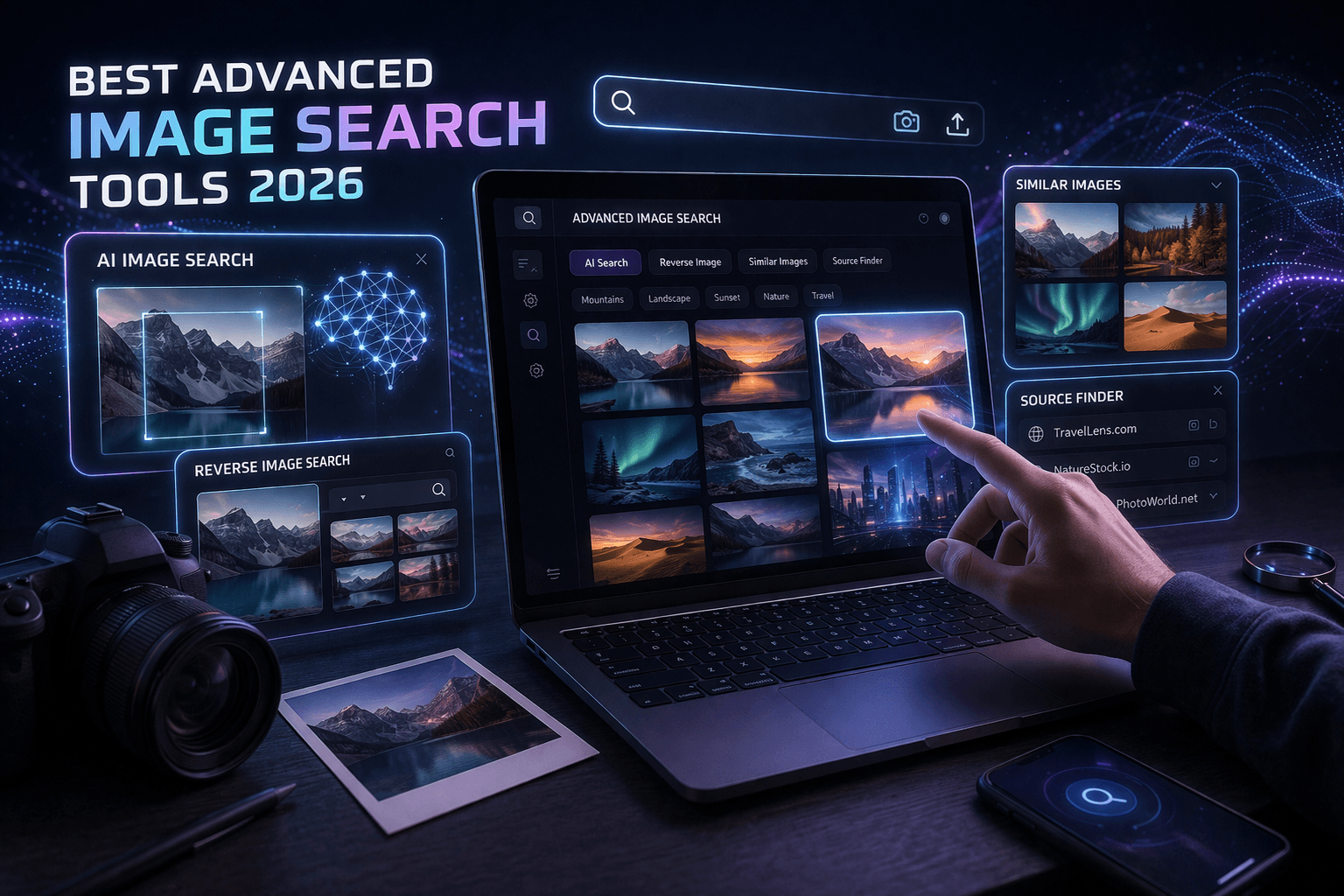
Finding the right image online isn’t always easy.
Whether you're a marketer, designer, or business owner, using the right advanced image search tools can save hours of work.
In this guide, we’ll cover the best advanced image search tools in 2026, including reverse image search platforms, AI-powered tools, and free solutions to find high-quality images instantly.
You found an amazing image online but can't trace its source. Or maybe you're a designer who needs to verify if a client's logo is plagiarized. Perhaps you're a blogger hunting for the perfect stock photo that hasn't been overused to death.
Whatever your reason, regular Google image search just doesn't cut it anymore. You need advanced image search tools that go deeper, search smarter, and give you results that actually matter.
Are you looking for advanced image Google search guide?
Here's the reality: there are dozens of image search tools out there. Some are free but limited. Others are powerful but expensive. And many promise the world but deliver mediocre results at best.
I've spent weeks testing every major advanced image search tool available in 2026. Some blew me away. Some disappointed me. Some surprised me with features I didn't even know I needed.
Let me show you which tools are actually worth your time and money, broken down by what you're trying to accomplish.
Want a custom plan based on your business?
You're not alone most businesses waste money on the wrong strategy.
Let our experts analyze your website and show you exactly what to fix.
Why You Need Advanced Image Search Tools Beyond Google
Before we jump into the tools, let's talk about why basic Google image search isn't enough anymore.
Limited reverse search accuracy
Google's reverse image search works okay for exact matches. But if someone cropped, edited, or modified an image even slightly, Google often misses it. You need tools with better algorithms.
No copyright verification
Google doesn't tell you if an image is copyrighted or if you can legally use it. This is crucial for businesses and content creators who don't want legal trouble.
Missing metadata
Information like camera settings, location data, edit history, and original upload date often gets missed by basic tools. Advanced tools dig deeper.
Can't find similar images effectively
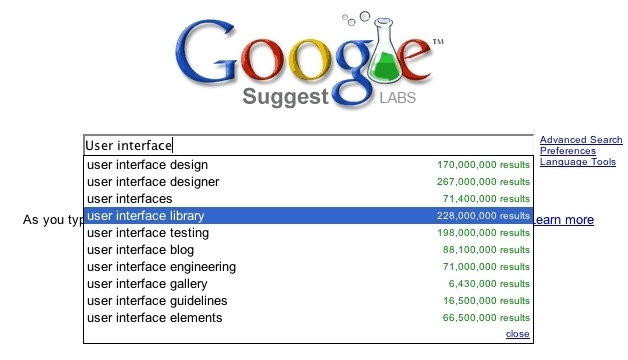
Finding visually similar images requires AI-powered tools that understand composition, color schemes, and subject matter. Google's "similar images" feature is basic at best.
No batch processing
Need to search hundreds of images? You'll be there all day with Google. Professional tools let you batch process and automate searches.
The right advanced image search tool saves you hours of work, protects you legally, and helps you find exactly what you need faster.
If you're working on broader digital marketing strategies that include visual content, understanding how to increase Instagram reach organically can complement your image research efforts.
Quick Comparison of Advanced Image Search Tools
| Tool | Best For | Free/Paid |
|---|---|---|
| Google Images | General search | Free |
| TinEye | Reverse image search | Free |
| Shutterstock | Stock images | Paid |
| Unsplash | Free high-quality images | Free |
Advanced Image Search Tools for Marketers and Content Creators
Let's start with tools specifically useful for marketers, social media managers, and content creators.
TinEye: The Reverse Image Search Specialist
What it does:
TinEye specializes in finding where images appear online. It's been around since 2008 and has indexed over 60 billion images.
Key features:
- Most comprehensive reverse image search
- Tracks image modifications and edits
- Shows oldest versions of images
- Alerts when new matches appear
- Browser extensions for quick searching
Pricing:
- Free: 150 searches per week
- Basic: USD 5.99/month (1,000 searches)
- Professional: USD 49.99/month (10,000 searches)
- Business: Custom pricing
Best for:
Content creators who need to verify if their images are being used without permission. Also great for journalists fact-checking images.
Real-world use case:
A photographer I know uses TinEye alerts to track when her photos get used online. She's caught dozens of unauthorized uses and gotten paid licensing fees she would have missed otherwise.
Limitations:
Doesn't find similar images, only exact or near-exact matches. Not ideal if you're looking for visual inspiration rather than tracking specific images.
PimEyes: Face Recognition Search Engine
What it does:
PimEyes uses facial recognition to find all instances of a person's face across the internet.
Key features:
- Advanced facial recognition AI
- Searches across billions of images
- Finds faces even in group photos
- Privacy protection tools
- Regular monitoring services
Pricing:
- Free: Limited searches with blurred results
- Premium: USD 29.99/month
- Advanced: USD 89.99/month
- Professional: USD 299.99/month
Best for:
Personal reputation management, security verification, finding unauthorized use of your photos.
Privacy note:
This is powerful stuff. Use it ethically. Don't stalk people. The tool is designed for protecting your own privacy and finding where your own images appear online.
Limitations:
Only works for faces. Won't help with products, landscapes, or abstract images. Also raises privacy concerns that you should be aware of.
Pixsy: Copyright Protection and Image Tracking
What it does:
Pixsy monitors the web for unauthorized uses of your images and helps you take action when infringement is found.
Key features:
- Automatic image monitoring
- Detects copyright infringement
- Legal assistance for takedowns
- Revenue recovery (they take commission)
- Portfolio management
Pricing:
- Free: Basic monitoring for up to 100 images
- Premium: USD 19.99/month (unlimited images)
- Pro: USD 39.99/month (advanced features)
Best for:
Professional photographers, stock photo contributors, content creators who regularly produce original images.
How it works:
You upload your image portfolio. Pixsy continuously scans the internet. When it finds unauthorized use, you can choose to ignore it, request credit, or pursue legal action. Pixsy handles the legal stuff and takes a commission if money is recovered.
Real results:
A stock photographer recovered over USD 15,000 in licensing fees in 2025 using Pixsy for images that were being used without permission.
These advanced image search tools also act as powerful image search engines, helping you find similar images online using AI and reverse search technology.
If you're looking for an advanced photo search method, these tools provide the best results.
Advanced Image Search Tools for Designers and Creative Professionals
Designers need different capabilities than marketers. Here are tools built for creative work.
Pinterest Lens: Visual Discovery Tool
What it does:
Point your camera at anything and Pinterest shows you similar products, designs, and ideas.
Key features:
- Real-time visual search through camera
- Shop similar products
- Design inspiration discovery
- Color palette matching
- Board organization
Pricing:
Completely free
Best for:
Interior designers, fashion designers, product designers looking for inspiration and mood boards.
Why it's powerful:
The AI understands design aesthetics. If you photograph a mid-century modern chair, it shows you similar furniture, color schemes that match, and rooms with similar style. This is inspiration on steroids.
Limitations:
Results are limited to what's on Pinterest. Won't find images from the broader web. Also very consumer-focused rather than professional.
Adobe Stock Visual Search
What it does:
Upload an image or drag one from your Adobe Creative Cloud work, and Adobe finds similar stock photos and illustrations.
Key features:
- Integrated with Adobe Creative Suite
- High-quality professional stock images
- Vector and illustration search
- Licensed content only
- Direct download to projects
Pricing:
- Part of Creative Cloud subscription
- Stock images: USD 29.99 for 10 images/month
- Enterprise: Custom pricing
Best for:
Designers already using Adobe products who need professional stock imagery.
Pro tip:
Use free alternatives to find reference images, then use Adobe Stock to find legally licensed versions for commercial projects.
Alamy Image Search
What it does:
Stock photography search with advanced filtering options and one of the largest image databases.
Key features:
- 360 million+ images
- Advanced search filters
- Editorial and commercial licensing
- Historical photos archive
- Video search included
Pricing:
- Free to search
- Pay per download: USD 19.99 to USD 899.99 per image
- Subscriptions available
Best for:
Finding rare, specific, or historical images that other stock sites don't have.
Unique advantage:
Massive collection of news photos, historical images, and niche content. If Shutterstock and Getty don't have it, Alamy might.
AI-Powered Advanced Image Search Tools
The newest generation of image search tools uses artificial intelligence to understand images in ways that were impossible just a few years ago.
Google Lens: AI Visual Search
What it does:
Google's AI-powered tool that identifies objects, translates text, shops for products, and finds similar images through your phone camera.
Key features:
- Real-time object recognition
- Translate text in images
- Identify plants and animals
- Shop for products
- Homework help (solves math problems)
- Free and built into Android/iOS
Pricing:
Completely free
Best for:
Everyday users who need quick identification and information. Also great for shopping and learning.
Why it's different:
Google Lens doesn't just match images. It understands what's in them. Point it at a flower, it tells you the species. Point it at a painting, it gives you the artist and history.
Limitations:
Not designed for professional copyright checking or comprehensive web searches. Best for identifying objects rather than tracking image usage.
For businesses looking to leverage AI in their marketing beyond just images, exploring AI marketing tools can significantly enhance your overall strategy.
Bing Visual Search
What it does:
Microsoft's answer to Google Lens with some unique features Google doesn't offer.
Key features:
- Visual search from any image
- Shop similar products
- Recipe identification
- QR code scanning
- Integration with Edge browser
Pricing:
Free
Best for:
Windows users, Edge browser users, shopping research.
Underrated feature:
Bing's shopping results are often better than Google's because Microsoft has different partnerships with retailers. You sometimes find better deals through Bing Visual Search.
Clarifai: Custom AI Image Recognition
What it does:
Build custom AI models to search and categorize images based on your specific needs.
Key features:
- Custom AI model training
- Object detection
- Concept tagging
- NSFW content detection
- API for developers
Pricing:
- Free: 1,000 operations/month
- Essentials: USD 30/month (10,000 operations)
- Professional: USD 300/month (100,000 operations)
- Enterprise: Custom pricing
Best for:
Developers and businesses that need custom image recognition for specific use cases.
Real-world example:
E-commerce companies use Clarifai to automatically tag products in photos, making search and organization automatic rather than manual.
Not for:
Casual users or those without technical knowledge. This is a developer tool.
Specialized Advanced Image Search Tools
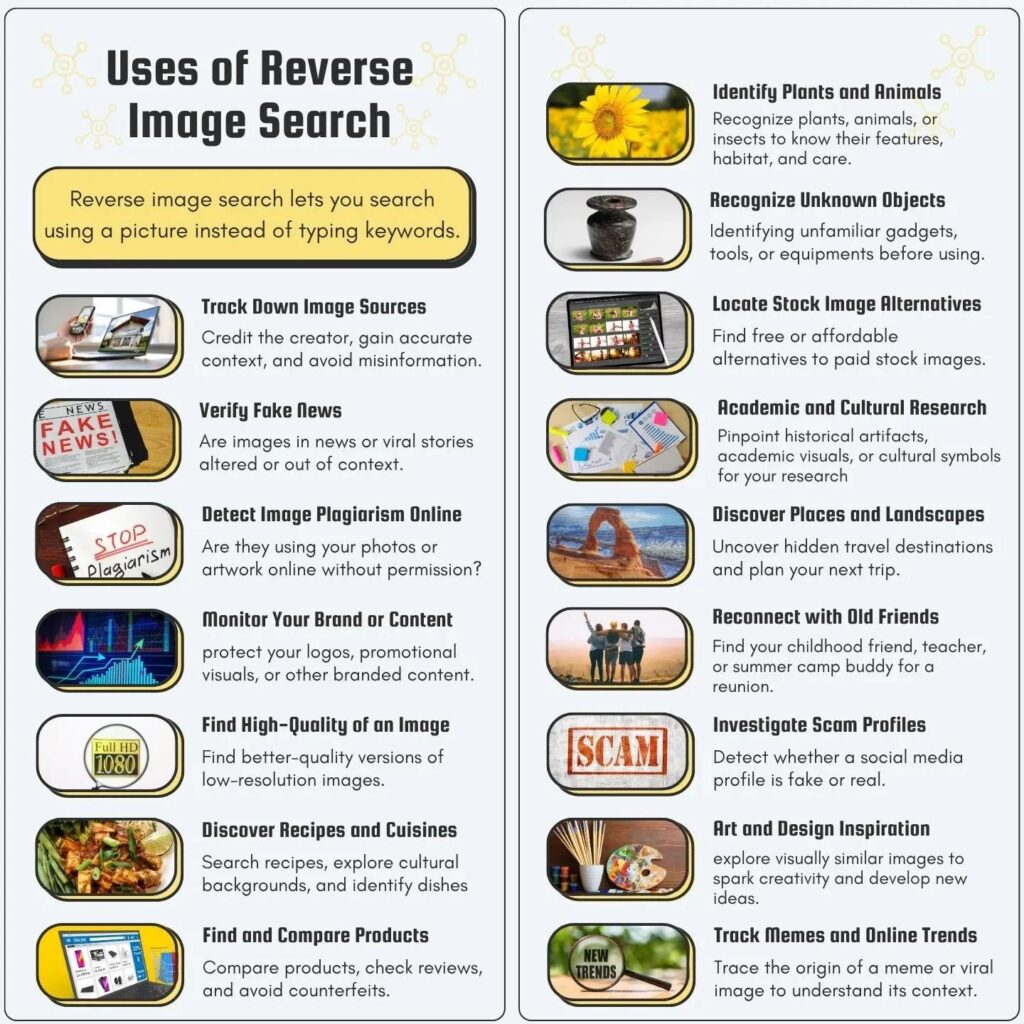
Some tools focus on very specific use cases. Here are the best niche tools worth knowing about.
Yandex Images: Best for Eastern European and Russian Content
What it does:
Russian search engine with arguably the best reverse image search technology.
Why it's special:
Yandex's image recognition algorithm is considered by many professionals to be more accurate than Google's. It finds modified images that other tools miss.
Best for:
Finding sources for images when other tools fail. Especially good for images from Russia and Eastern Europe.
Free to use
Note:
Interface can be confusing if you don't read Cyrillic. Use Chrome's auto-translate feature.
Berify: Comprehensive Image Monitoring
What it does:
Searches your images across Google, Bing, Yandex, and more simultaneously.
Key features:
- Multi-engine reverse search
- Regular monitoring
- Screenshot matching
- Watermark detection
- Detailed reports
Pricing:
- Basic: USD 9.99/month (10 images)
- Standard: USD 29.99/month (100 images)
- Professional: USD 99.99/month (1,000 images)
Best for:
Businesses protecting brand images, photographers tracking usage.
Reverse Image Search: Browser Extensions
Free extensions worth installing:
RevEye (Reverse Image Search)
- Searches multiple engines at once
- Right-click any image
- Available for Chrome, Firefox, Edge
Image Search Options
- 30+ reverse search engines
- Customizable search options
- Fast and lightweight
Search by Image
- Keyboard shortcuts
- Multiple engines
- Direct image uploads
All three are free and make reverse searching as easy as right-clicking an image.
How to Choose the Right Advanced Image Search Tool
With so many options, how do you pick? Here's a practical decision framework.
Ask yourself these questions:
What's your primary use case?
- Tracking your own images: TinEye, Pixsy, Berify
- Finding inspiration: Pinterest Lens, Adobe Stock
- Shopping research: Google Lens, Bing Visual
- Copyright verification: TinEye, Yandex
- Identifying objects: Google Lens, Bing Visual
What's your budget?
- Zero budget: Google Lens, Bing Visual, browser extensions
- Small budget (under USD 50/month): TinEye Basic, Pixsy Premium
- Professional budget: PimEyes Advanced, Clarifai Professional
How often will you use it?
- Occasionally: Free tools are enough
- Weekly: Consider basic paid plans
- Daily: Professional tools pay for themselves
What's your technical skill level?
- Beginner: Google Lens, Pinterest Lens
- Intermediate: TinEye, Pixsy
- Advanced: Clarifai, API-based tools
My recommendations by profession:
Photographers:
Pixsy (monitoring) + TinEye (verification) + browser extensions (daily use)
Content creators/bloggers:
Free browser extensions + Google Lens + occasional TinEye searches
Designers:
Pinterest Lens (inspiration) + Adobe Stock (licensed content)
Marketers:
Google Lens + Bing Visual + free tools unless you need serious copyright protection
Developers:
Clarifai or similar API-based tools for custom integration
Security/privacy conscious:
PimEyes for monitoring your face online
Want more leads from your website?
Get a FREE website audit and discover exactly what’s stopping your growth.
✅ SEO Audit
✅ Lead Generation Plan
✅ Competitor Analysis
Advanced Image Search Tips That Actually Work
Tools are only as good as how you use them. Here are techniques that make your searches more effective.
Tip 1: Use Multiple Tools
Don't rely on just one search engine. Different tools have different databases and algorithms.
My workflow for thorough searches:
- Start with Google reverse image search (quick and free)
- If no results, try Yandex (often finds what Google misses)
- Still nothing? Use TinEye (different index)
- For faces specifically, try PimEyes
This multi-tool approach finds 90% more matches than using just one tool.
Tip 2: Crop and Clean Your Image
Before searching, improve your results:
- Crop out watermarks or text
- Increase image size if it's tiny
- Enhance clarity if it's blurry
- Remove distracting backgrounds
Better quality input = better search results.
Tip 3: Search Image Sections Separately
For complex images with multiple subjects:
- Search just the main subject
- Search background elements separately
- Search faces individually
Example: Wedding photo with three people? Search each face separately for better identification.
Tip 4: Use Different File Formats
Sometimes converting an image changes search results:
- Try JPG, PNG, and WebP versions
- Adjust compression levels
- Change image dimensions slightly
Weird but true: sometimes a smaller version finds results the larger version missed.
Tip 5: Combine Text and Image Search
Use what you know:
- Upload image to Google Lens
- Add relevant keywords to narrow results
- Use filters (time, size, usage rights)
"Reverse image search" + "architecture style" works better than image alone.
Understanding how search algorithms work can significantly improve your results. For broader SEO knowledge that applies to image search optimization, check out mastering SEO with AI tools.
Why Use Advanced Image Search Tools?
Using advanced image search tools helps businesses:
- Find copyright-free images
- Improve SEO with optimized visuals
- Save time in content creation
- Avoid legal issues
This is why marketers and agencies rely on advanced image search daily.
The Future of Advanced Image Search in 2026 and Beyond
Image search technology is evolving fast. Here's where it's heading.
AI understanding of context
Future tools won't just match pixels. They'll understand scenes, emotions, and abstract concepts. Search for "happy dog" and get genuinely joyful dog photos, not just any dog photo with the word "happy" in metadata.
Video frame search
Already starting but will become mainstream. Upload a video screenshot, find the source video. Essential for fact-checking and copyright protection.
3D object recognition
Search for furniture, see it rendered in your actual room through AR. Already possible with some apps, will be standard soon.
Blockchain-based image authentication
Verify if an image has been AI-generated or manipulated. Crucial for combating deepfakes and misinformation.
Privacy-first search
Tools that search without storing your images or data. Growing concern about privacy will drive this development.
Better copyright matching
Automated systems that don't just find images but also determine licensing requirements and fair use parameters.
The tools available in 2026 are already impressive. But we're just scratching the surface of what's possible.
Common Mistakes People Make with Image Search Tools
Avoid these pitfalls that waste time and give poor results.
Mistake 1: Using only Google
Google is popular but not always best. Different tools have different strengths. Branch out.
Mistake 2: Searching low-quality images
Tiny, blurry, or heavily compressed images give poor results. Start with the highest quality version you can find.
Mistake 3: Ignoring usage rights
Finding an image doesn't mean you can use it. Always check licensing, especially for commercial use.
Mistake 4: Not verifying results
Just because a tool shows a match doesn't mean it's accurate. Verify with your own eyes, especially for important decisions.
Mistake 5: Paying before trying free options
Many expensive tools have free alternatives that work just as well for casual use. Start free, upgrade only if needed.
Mistake 6: Forgetting to crop
Including unnecessary image elements confuses search algorithms. Crop to the subject you're actually searching for.
Mistake 7: Giving up too quickly
If one tool doesn't work, try another. And another. Persistence pays off.
FAQ: Advanced Image Search Tools
What is the best free reverse image search tool?
Google Lens for everyday use and object identification. TinEye's free tier for copyright verification and tracking. Yandex for when Google fails to find matches.
Can I search for images without watermarks?
Yes. Most reverse image search tools ignore or look past watermarks. Crop them out for better results. Tools like TinEye specifically track images across different versions including watermarked and clean versions.
How do I find similar images for design inspiration?
Pinterest Lens is best for design inspiration. Adobe Stock for licensed professional images. Google Images with "visually similar" filter also works well.
Are these tools legal to use?
Yes, searching for images is legal. However, using images you find without proper licensing or permission is not legal. Always verify usage rights before using any image commercially.
Which tool is best for finding stolen content?
TinEye for comprehensive tracking. Pixsy for automated monitoring and legal assistance. Berify for multi-engine searching. PimEyes specifically for faces.
Can these tools find AI-generated images?
Some can. Tools like Clarifai and specialized AI detection services can identify AI-generated content. This capability is rapidly improving as AI generation becomes more common.
Do I need to pay for advanced image search?
Not for casual use. Free tools like Google Lens, browser extensions, and free tiers of paid tools handle most needs. Pay only if you need professional features like monitoring, batch processing, or legal assistance.
How accurate are reverse image search tools?
Accuracy varies. Exact matches: 90-95% accurate. Modified images: 60-80% accurate. Similar images: 50-70% accurate. Using multiple tools increases accuracy significantly.
What are the best advanced image search tools?
The best tools include Google Images, TinEye, and Shutterstock.
How can I find similar images online?
You can use reverse image search tools like Google Lens or TinEye.
Are there free image search tools?
Yes, tools like Google Images and Unsplash are free to use.
Final Thoughts: Choose Your Tools Wisely
Advanced image search tools have become essential for anyone working with visual content. Whether you're protecting your copyright, finding inspiration, shopping for products, or verifying information, the right tools save time and deliver results.
Key takeaways:
For most people:
Start with free tools (Google Lens, browser extensions, TinEye free tier). They handle 80% of needs without spending anything.
For professionals:
Invest in paid tools that match your specific use case. Pixsy for photographers, Adobe Stock for designers, PimEyes for personal security.
For businesses:
Consider professional plans with monitoring, APIs, and bulk processing. The time saved and legal protection provided justify the cost.
For everyone:
Use multiple tools. Don't rely on just one. Different algorithms catch different things.
The landscape of image search tools keeps evolving. New tools emerge. Existing ones improve. Stay current with what's available because better tools mean better results.
Your visual content strategy deserves the best tools available. Whether you're spending zero dollars or hundreds per month, make sure you're using tools that actually solve your specific problems.
Need help developing a comprehensive digital marketing strategy that includes visual content optimization? Our team can help you choose and implement the right tools for your business.
Ready to grow your business with proven strategies?
We help brands generate consistent leads using SEO, Ads & Automation.
Book a FREE 30-min strategy call today
Or chat with us instantly on WhatsApp