What is a Google Knowledge Panel, and Why Does it Matter?
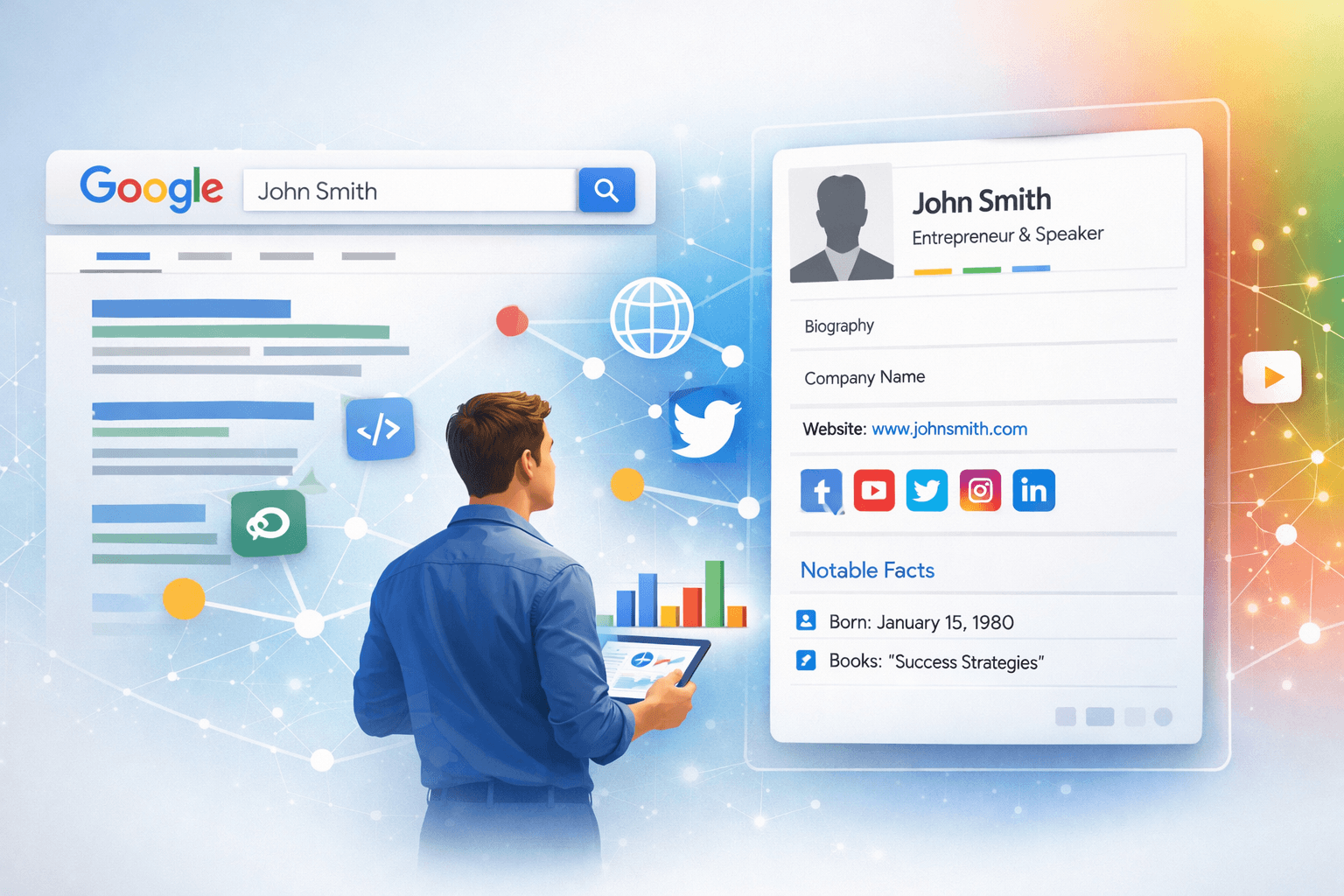
Have you ever searched for a famous person, a well-known company, or even a popular movie and seen a neat box of information appear on the right side of Google’s search results? That, my friend, is a Google Knowledge Panel. It’s like Google’s VIP summary—a curated snapshot of key facts about an entity (a person, place, organization, or thing) pulled from across the web.
Think about it. When someone Googles your brand, your name, or your business, what do they see? A disorganized list of links, or a concise, authoritative summary that instantly conveys credibility? A Knowledge Panel does the latter. It enhances your online presence by providing immediate, verified information, making you look more established and trustworthy. For businesses, this means increased brand authority, better click-through rates, and a significant boost in perceived credibility. For individuals, it solidifies your personal brand, showcasing your expertise and achievements.
How Google Identifies Entities for Knowledge Panels
It's not magic, but it feels pretty close! Google’s Knowledge Graph, the vast network of facts and relationships it uses to understand the world, is the engine behind these panels. Google constantly scans billions of web pages, databases, and structured data to identify 𠇎ntities”—anything it can definitively identify and gather information about. When Google finds enough consistent, verifiable information about an entity from multiple authoritative sources, it compiles it into a Knowledge Panel.
This process is highly automated. Google isn't sitting there manually creating panels for everyone. Instead, it relies on signals like:
- Consistent Online Mentions: Your name, brand, or business appearing consistently across reputable websites.
- Structured Data: Information marked up using schema.org on your website.
- Authoritative Sources: Wikipedia, Wikidata, industry databases, major news outlets, etc.
- Official Profiles: Google My Business, social media profiles, and official websites.
The key takeaway? To get a Google Knowledge Panel, you need to make it easy for Google to understand who you are and what you do, consistently and accurately.
Key Factors That Influence Getting a Knowledge Panel
While there’s no “申请 (apply) here” button for a Knowledge Panel, you can absolutely influence whether you get one. Here are the critical factors:
1. Establish a Strong, Consistent Online Presence
Imagine building a house without a strong foundation—it won’t last. The same goes for your online identity. Ensure your Name, Address, and Phone (NAP) details are identical across all your online profiles. This consistency signals to Google that you are a real, verifiable entity. This includes your website, social media, local directories, and business listings.
2. Generate Authoritative Citations and Mentions
Google trusts reputable sources. The more often your entity is mentioned by high-authority websites, news outlets, industry-specific publications, and academic papers, the stronger your signal to Google. Think of these as votes of confidence. Aim for mentions, not just links, though links from these sources are incredibly valuable for your overall search engine optimization efforts.
3. Implement Structured Data (Schema Markup)
This is arguably one of the most direct ways to tell Google about your entity. Schema markup is a type of microdata that you add to your website’s HTML to help search engines better understand your content. For a Knowledge Panel, schema types like Organization, Person, LocalBusiness, or CreativeWork (for authors, artists) are crucial. This allows you to explicitly state your name, official website, social media profiles, logo, and other vital information in a format Google loves.
4. Wikipedia and Wikidata Entries (If Applicable)
Wikipedia and its structured data counterpart, Wikidata, are among the most powerful signals for Google’s Knowledge Graph. If you or your organization meet Wikipedia’s notability guidelines (which are quite strict), having an entry here can significantly increase your chances of getting a Knowledge Panel. For individuals, this often means significant media coverage, awards, or recognized contributions to a field.
5. Claim and Optimize Your Google My Business Profile
For local businesses, a verified and optimized Google My Business (GMB) profile is almost a prerequisite for a local Knowledge Panel. Ensure all information is accurate, up-to-date, and includes high-quality images. Regular posts, responding to reviews, and keeping your hours accurate all contribute to a robust GMB profile.
6. Maintain an Official Website
This might seem obvious, but a professional, well-maintained, and SEO-optimized website serves as the central hub for your entity’s online presence. It’s where Google can find definitive information, your schema markup, and links to your other authoritative profiles.
7. Secure Media Coverage and Public Relations
Being featured in news articles, interviews, podcasts, or industry publications not only builds brand awareness but also provides the authoritative third-party mentions Google needs. A strong PR strategy can be incredibly effective in generating these signals.
Practical Tips to Optimize for a Google Knowledge Panel
Now that we know the “what” and “why,” let’s dive into the “how” of knowledge panel optimization:
Tip 1: Audit and Standardize Your Digital Footprint
Start by searching for yourself or your brand. What comes up? Are there inconsistencies? Correct any outdated information on all platforms, from social media to directory listings. Ensure your �out Us” page on your website is comprehensive and clearly states who you are and what you do.
Tip 2: Implement Comprehensive Schema Markup
Work with your web developer to add the relevant schema markup to your website. For businesses, use Organization and LocalBusiness schema. For individuals, use Person schema. Include your official name, logo, social media links, official website URL, and a brief description. Tools like Schema.org’s structured data testing tool can help you verify your implementation.
Tip 3: Actively Engage on Social Media
Maintain active profiles on major social media platforms (LinkedIn, Facebook, X, Instagram, etc.). Ensure your profiles link back to your official website and provide consistent information. While social media links might not directly trigger a Knowledge Panel, they provide additional context and verification points for Google’s algorithms.
Tip 4: Create and Curate High-Quality Content
Regularly publish high-quality content—blog posts, articles, case studies—on your website. This positions you as an expert in your field and provides more information for Google to index and understand your entity’s relevance. If you’re a person, think about publishing your own work or being cited in others’.
Tip 5: Pursue External Mentions and Backlinks
Actively seek opportunities for guest posts on industry blogs, interviews in podcasts, mentions in news articles, and features in reputable online publications. The goal is to generate high-quality, relevant external citations that demonstrate your entity’s notability.
Tip 6: Monitor and Suggest Edits to Your Panel
Once you’ve successfully triggered a Google Knowledge Panel, you’ll typically see an option to 𠇌laim this knowledge panel” (if you’re the official representative) or “Suggest an edit.” Always claim your panel if possible, as it gives you some control over the information presented. Even if you can’t claim it, you can suggest corrections if you spot errors.
Google Knowledge Panel vs. Google People Card: What's the Difference?
It's easy to confuse these two, but they serve different purposes. A Google Knowledge Panel is typically automatically generated by Google's Knowledge Graph for established entities—brands, public figures, historical places, or notable topics—based on widespread, verifiable information across the web. It's about what Google *knows* about an entity.
On the other hand, a Google People Card (or � me to Search” feature) is a user-generated profile, primarily for individuals, that allows you to create your own public card directly within Google Search. It's designed for individuals to showcase themselves and control their public profile, especially useful in regions where unique names might lead to identity confusion. While both aim to centralize information about an individual, the Knowledge Panel is Google's authoritative summary, while the People Card is your personal statement.
The Journey to Your Knowledge Panel
Getting a Google Knowledge Panel is a marathon, not a sprint. It requires consistent effort in building your online presence, ensuring data accuracy, and generating authoritative mentions. There’s no guaranteed timeline, as it depends heavily on your notability and Google’s evolving algorithms. However, by diligently applying these knowledge panel optimization tips, you significantly increase your chances.
A strong Google Knowledge Panel means enhanced brand visibility, increased trust, and a truly professional online identity. It’s a powerful asset in today’s digital landscape.
Frequently Asked Questions About Google Knowledge Panels
Q1: How long does it take to get a Google Knowledge Panel?
There's no set timeline. It can range from a few weeks to several months, or even longer. It primarily depends on how quickly Google gathers and verifies enough consistent, authoritative information about your entity across the web. Focusing on all the optimization tips will speed up the process.
Q2: Can I create my own Google Knowledge Panel?
No, you cannot directly 𠇌reate” a Knowledge Panel. Google’s algorithms automatically generate them based on information from its Knowledge Graph. However, you can heavily influence its creation and content by providing clear, consistent, and structured data about your entity across the web, as outlined in this guide.
Q3: What if the information in my Knowledge Panel is incorrect?
If you own or officially represent the entity, you can often 𠇌laim” the Knowledge Panel. Once claimed, you’ll have options to suggest edits directly to Google. If you can’t claim it, you can still use the “Suggest an edit” option at the bottom of the panel. Google will then review your suggestions against its authoritative sources.
Q4: Do I need a Wikipedia page to get a Knowledge Panel?
No, a Wikipedia page is not strictly required, but it is one of the strongest signals for Google’s Knowledge Graph. Many entities have Knowledge Panels without a Wikipedia entry, relying instead on a strong official website, structured data, Google My Business, and mentions in other reputable online sources.
Q5: Is a Google Knowledge Panel the same as a Google My Business profile?
No, they are different but related. A Google My Business (GMB) profile is a free tool for businesses to manage their online presence across Google, including Search and Maps. A Knowledge Panel is an automatically generated information box for any notable entity. For local businesses, the GMB profile often feeds directly into and heavily influences the content of a local Knowledge Panel, making it crucial for local SEO.
Ready to boost your brand’s visibility and authority online? For expert assistance with your SEO and digital presence, don’t hesitate to contact CatList Media today!