If you’ve ever searched for an image online, chances are you used Google.
You typed something like “modern office setup” and got hundreds of images.
Simple.
But then one day, you find an image somewhere and think,
“Where did this come from?”
Now Google search doesn’t help anymore.
That’s where reverse image search comes in.
Most people think both are the same. They’re not.
And using the wrong one can waste time or even cause problems like using copyrighted images without knowing.
Let’s break it down in a simple way so you know exactly when to use what.
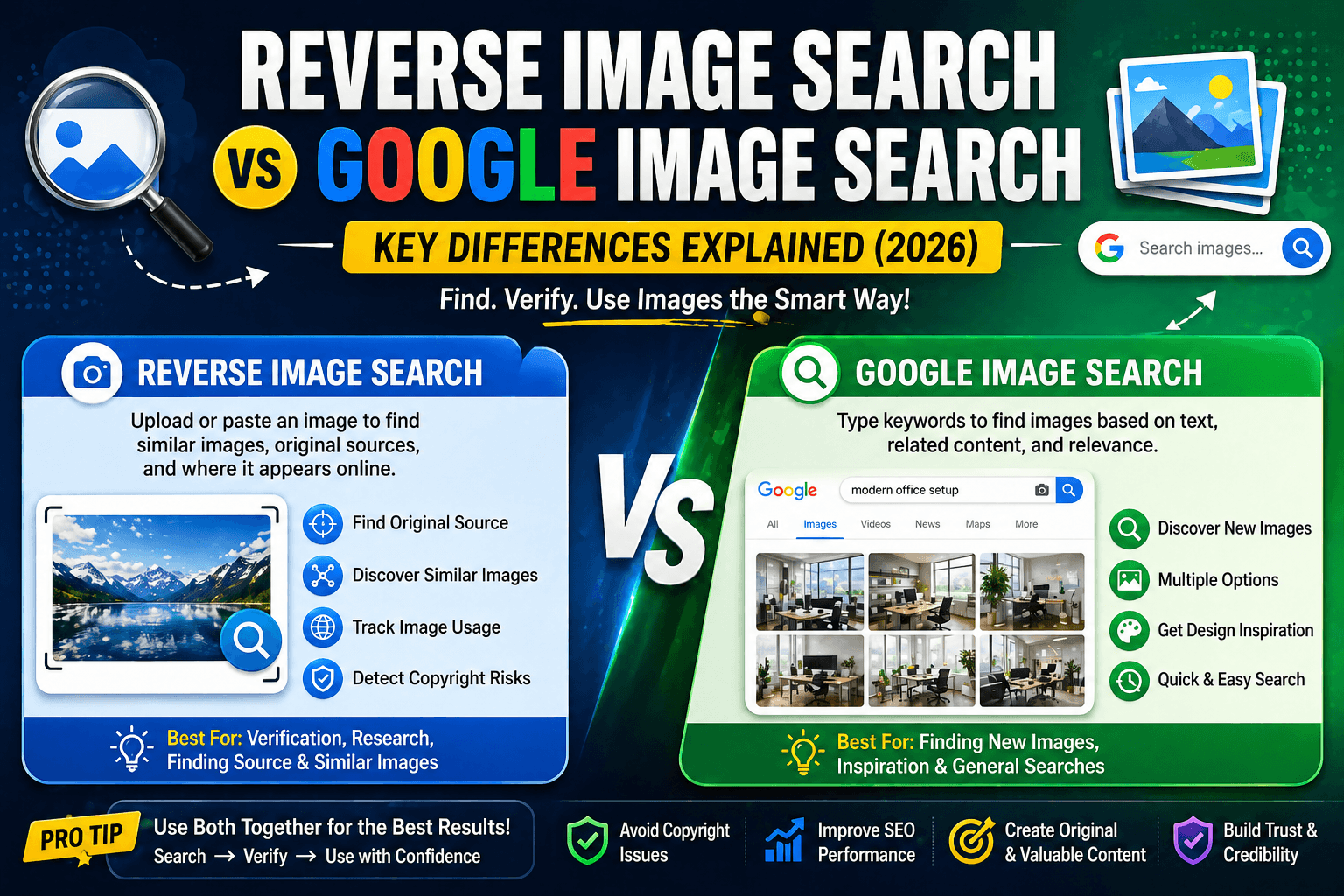
What is Google Image Search?
Google image search is what most people use daily.
You type a keyword, and Google shows images based on that text.
Example:
- “digital marketing office”
- “best website design”
Google matches your keyword with:
- Image titles
- Alt text
- Page content
This method is great when you don’t have an image yet.
What is Reverse Image Search?
Reverse image search works the opposite way.
Instead of typing text, you upload an image.
Google then shows:
- Similar images
- Websites using that image
- Possible original source
This is useful when you already have an image and want to verify or explore it.
If you want to learn how this works step by step, you can read this detailed guide on advanced image search.
Key Differences (Quick Comparison)
| Feature | Google Image Search | Reverse Image Search |
| Input | Text | Image |
| Purpose | Discover images | Find source & similar images |
| Accuracy | Keyword-based | Visual-based |
| Use case | Content creation | Verification & research |
When Should You Use Google Image Search?
Let’s keep this practical.
Use Google image search when:
- You are creating a blog
- You need design inspiration
- You are looking for stock-style visuals
- You don’t have a reference image
Example:
You’re writing a blog and need a banner.
You search and choose something that fits.
Simple.
When Should You Use Reverse Image Search?
Now this is where things get interesting.
Use reverse image search when:
- You want to find the original source
- You want similar images
- You want to check copyright
- You suspect duplicate content
Example:
You saw an image on Instagram.
Instead of guessing, you upload it and find the real source.
If your goal is to avoid copyright issues, this guide will help you find copyright images.
How Smart Users Combine Both (This is Important)
Here’s what professionals do.
They don’t choose one.
They use both.
Step-by-step approach:
- Use Google image search to discover images
- Pick a relevant image
- Use reverse image search to verify
- Check usage rights before using
This process saves you from mistakes.
Why This Matters for SEO
If you’ve ever Googled your competitor and found them ranking above you, that’s SEO at work.
Now here’s the part most people ignore.
Images play a big role in SEO.
Using the wrong images can:
- Increase bounce rate
- Reduce credibility
- Hurt rankings
Using the right images can:
- Improve engagement
- Increase time on page
- Boost visibility
This is why image strategy is part of SEO planning.
Real-World Example (Simple but Powerful)
Let’s say you run a blog.
You search on Google and pick an image randomly.
What could go wrong?
- It might be copyrighted
- It might be used by thousands of sites
- It might not be original
Now try this instead:
- Use Google search
- Then reverse search
- Verify source
Result:
- Safe usage
- Better SEO
- More professional content
Which One is Better?
This is the most common question.
The answer is simple.
Neither is better
Both are important
But…
If your goal is:
- Finding images → Google image search
- Verifying images → Reverse image search
Use both together.
Common Mistakes to Avoid
Let’s be honest. Most people do this wrong.
❌ Using only Google search
❌ Ignoring reverse image verification
❌ Not checking usage rights
❌ Using images blindly
These mistakes can cost you traffic and credibility.
Pro Tips (Advanced Strategy)
If you want to do this like a pro:
- Always verify images before use
- Use multiple tools for better accuracy
- Combine keyword + image search
- Prefer original or unique visuals
Reverse Search vs Google Search (Quick Summary)
| Use Case | Best Option |
| Finding new images | Google Image Search |
| Checking originality | Reverse Image Search |
| Avoiding copyright issues | Reverse Search |
| Content creation | Google Search |
FAQs
What is the difference between reverse image search and Google image search?
Google image search uses text to find images. Reverse image search uses images to find their source and similar visuals.
Which is better for SEO?
Both are useful. Google search helps discover images, while reverse search helps verify them.
Can I use both together?
Yes, and it’s the best approach for safe and effective image usage.
Is reverse image search free?
Yes, tools like Google Lens and TinEye are free to use.
Final Takeaway
If you remember one thing, remember this:
Google image search helps you find images
Reverse image search helps you verify them
Use both. Always.
That’s how you:
- Avoid copyright issues
- Improve SEO
- Create better content
Want Traffic Like This for Your Website?
This blog ranks because of smart SEO strategy and content structure.
Imagine your business getting:
- Consistent traffic
- High-quality leads
- Better visibility